01
Real-time shader pipeline
Run fragment and compute GLSL effects through an OpenGL renderer, combine multiple passes, and move quickly through large shader collections while video is playing.
ACMX2 is a real-time video manipulation and glitch-art workstation powered by OpenGL and GLSL. Mix shaders, react to sound, map MIDI controls, and record the result.
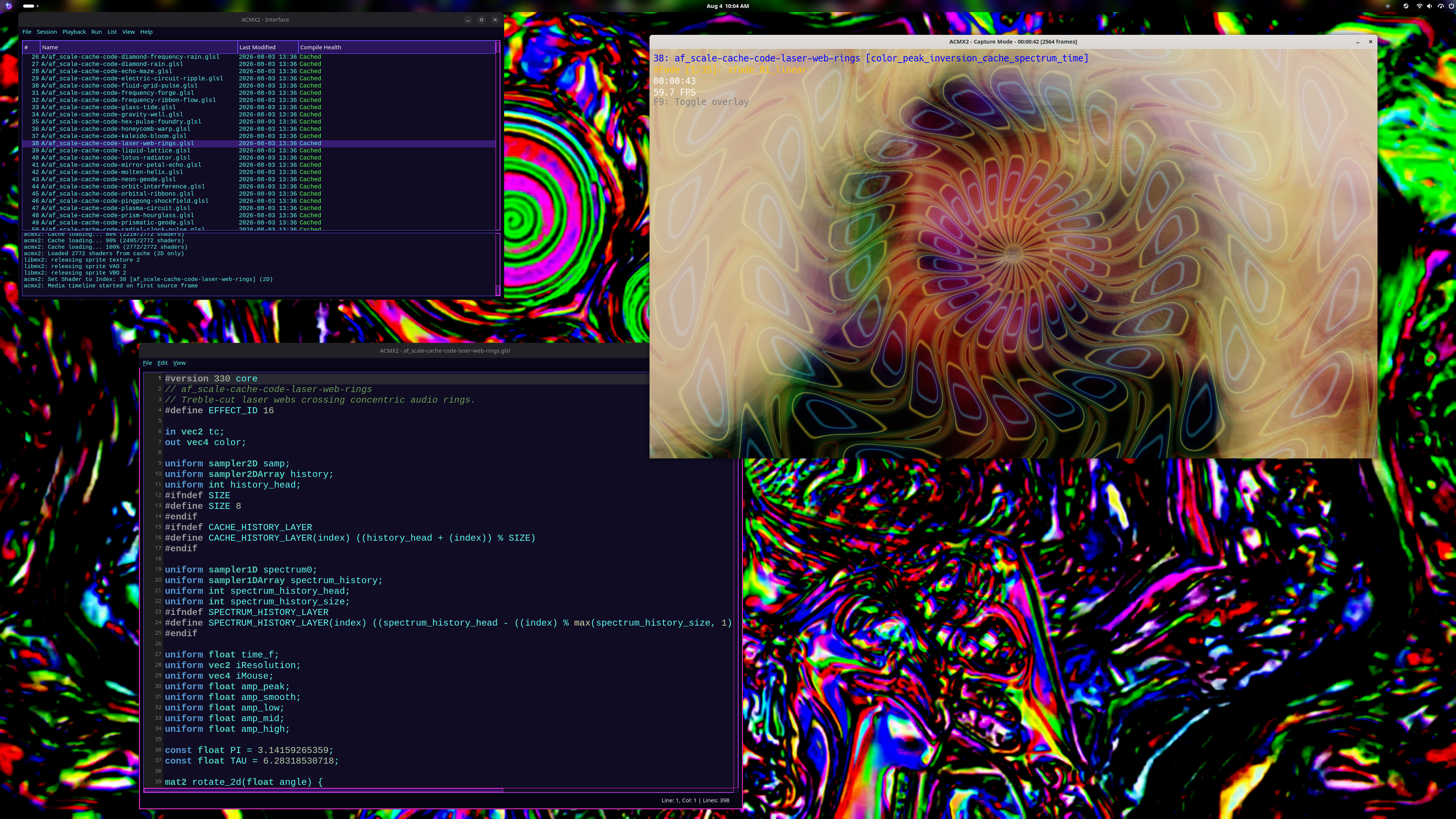
ACMX2 builds a flexible real-time processing pipeline around shader code. Use it for performance visuals, experimental video, live coding, recording, and deliberate digital chaos.
Run fragment and compute GLSL effects through an OpenGL renderer, combine multiple passes, and move quickly through large shader collections while video is playing.
Edit shaders during a session, consult the searchable built-in uniform reference, arrange effects into playlists, and use automatic playback modes to keep visuals evolving without stopping the show.
RtAudio support lets visuals respond to live input, one audio file, or an ordered M3U playlist. Build, sort, shuffle, and save playlists in the Qt editor while the HUD identifies the audible track. MIDI mapping turns knobs, pads, and faders into hands-on controls.
Work with camera and video sources using an Intel IPP-optimized OpenCV build, render shader-driven 3D MXMOD content, and record or encode finished output using the FFmpeg-based writer.
Four steps. The application bundle includes a ready-to-use shader snapshot; cloning the shader repository gives you an editable library you can update at any time.
Open a terminal in your Downloads folder and install the bundle for your user account. Your software center may also open the file when you double-click it.
flatpak install --user ./ACMX2.flatpak
Clone the maintained lostjared/shaders repository. This creates a folder named shaders in the current directory.
git clone https://github.com/lostjared/shaders.git
Start it from your desktop application menu, or launch the Qt interface from a terminal:
flatpak run io.github.lostjared.ACMX2
In ACMX2, open the properties window and browse to the shaders folder you downloaded or extracted. Select that folder, then save or apply the setting.
/app/share/acmx2/shaders. Use your downloaded folder when you want to edit shaders or pull future updates with git pull.This portable build packages ACMX2 for modern Linux desktops without the optional NVIDIA CUDA filter library.
The complete Qt interface, command-line engine, MIDI mapper, RtAudio support, Intel IPP-optimized OpenCV libraries, runtime data, playlists, and pinned shader collection.
Download · 22.2 MB